“Did I already do that?”
Check a clear confirmation record instead of replaying the day from memory.
 TendMark

A calmer way to care
Daily routines, appointments and the occasions that take a little planning. Keep the birthday present, cake and card together in one event, alongside the everyday things you look after. See what needs attention and keep a record of what you actually did.
Available now on the App Store for iPhone.
Available now for iPhone
Plan everyday routines and important dates, get reminders and keep a clear record of what happened, all in one private iPhone app.
Free to start. No account, ads or tracking.
Whatever is on your mind
From water breaks and personal care to pets, plants and family plans: find a way to make your everyday routines easier to remember.
Give tomorrow’s jobs a place tonight.
Explore daily plannerMake the routine easier to remember.
Explore pills & vitaminsMore time with them. Less remembering for them.
Explore pet careRemember the check. Enjoy the growing.
Explore plants & gardenGive yourself more than a last-minute rush.
Explore appointmentsTake the household list out of your head.
Explore home & householdKeep the next date with the thing it belongs to.
Explore vehiclesA little more clarity for the care you give.
Explore personal & family careKeep the care with the kit.
Explore equipment & hobbiesGive the small jobs a place in the working day.
Explore workplace routinesMake a little room for your own routines.
Explore personal routinesPick up the next visit with a clearer plan.
Explore holiday homesGive the next trip a calmer start.
Explore caravans & campingGive tomorrow’s family jobs a place today.
Explore school & family plansBring a clearer plan to the next plot visit.
Explore allotmentsKeep the everyday care and future dates together.
Explore horse careGive your own care a place in the day.
Explore health & wellbeingRemember the pause. Record the drink.
Explore water remindersGive the evening a place to slow down.
Explore bedtime routinesLet the break have a place in your day.
Explore movement & breaksKeep the everyday care and the next visit together.
Explore dental careRemember the date. Know the next action.
Explore bills & renewalsGive the next study session a clear starting point.
Explore study & revisionKeep each tank’s care clear and easy to check.
Explore aquarium careThe mental load TendMark removes
Check a clear confirmation record instead of replaying the day from memory.
Overdue routines stay visible until you record what happened. Future routines and appointments stay organised in Care.
Keep the schedule, reminders and history with the person, pet or thing they belong to.
Three quiet steps
TendMark stays out of the way, then gives you a clear answer when reassurance matters.
Create a profile for a person, pet, plant, home, vehicle, equipment, workplace or custom subject. Add one-off or repeating routines, including yearly dates, plus appointments and reminders.
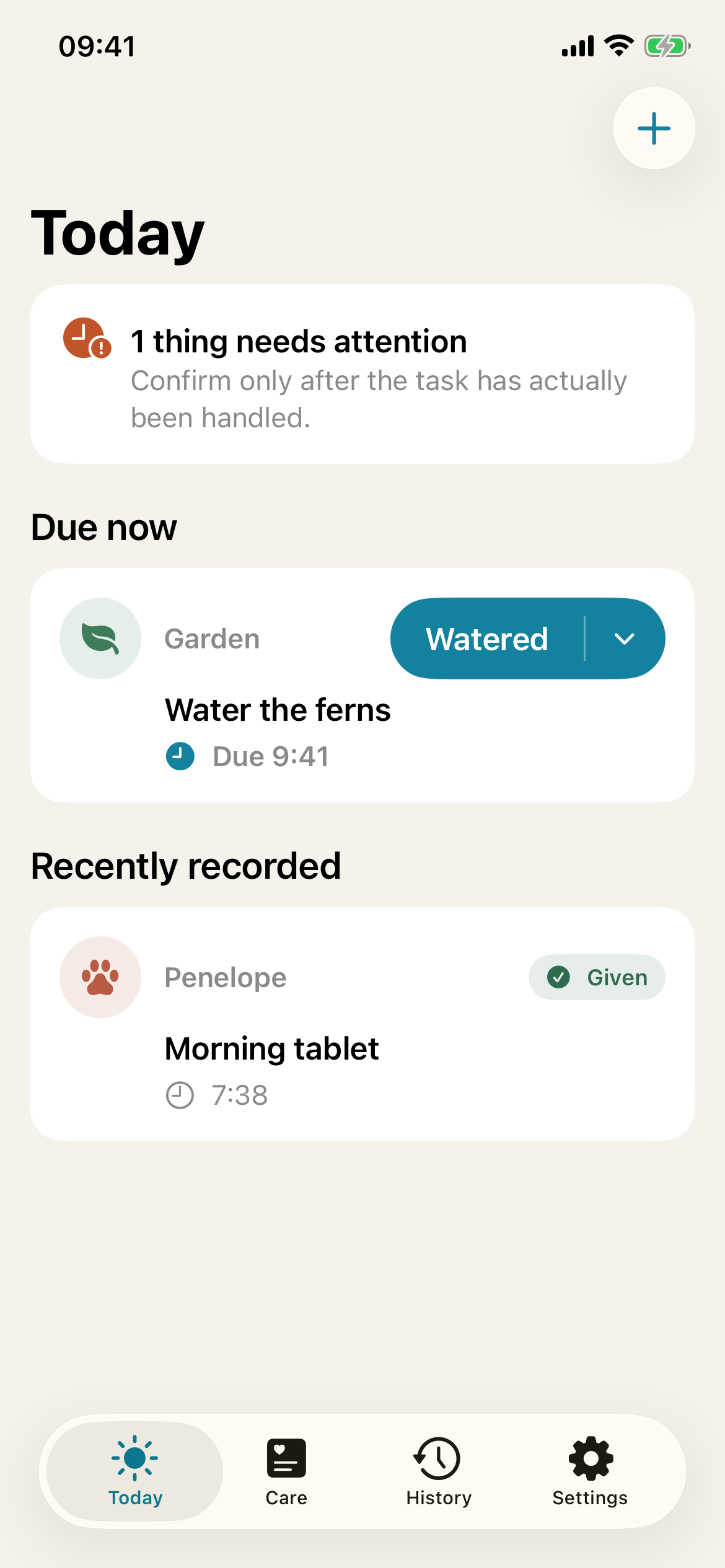
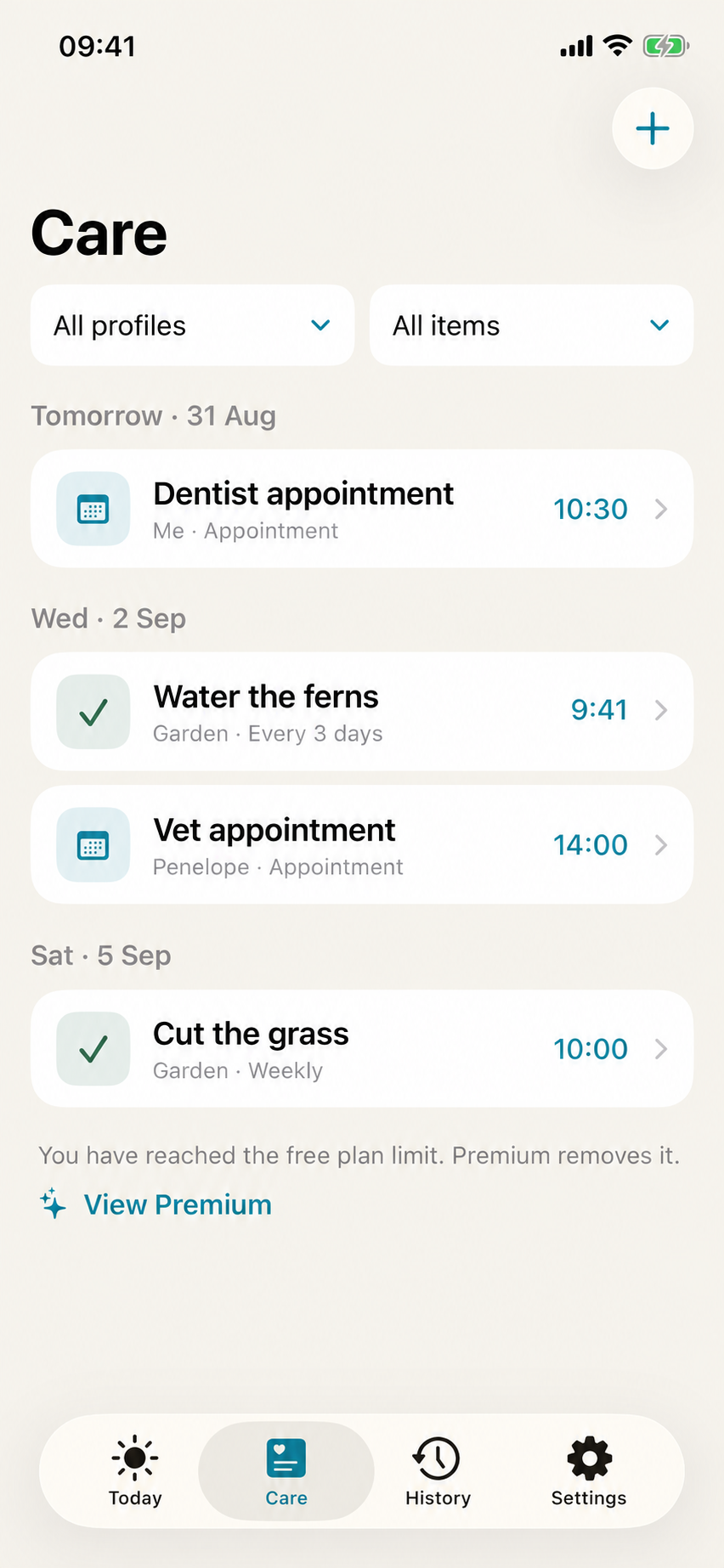
Today shows due routines, appointments and open events happening now. Care keeps upcoming routines, appointments and events together in date order.
Record Given, Taken, Walked or your own label. For an overdue routine, tap What happened? to record the outcome. Use Undo if you tap accidentally.
Built around real life
Multiple times, one routine
Add the real times that matter on each scheduled day, such as 08:00, 17:30 and 21:00. There is no need to create duplicate routines or rely on a vague “three times daily” note.
Use exact times with daily, weekly, monthly or every-few-days routines.
Choose Done, Taken, Given, Fed, Watered and more, or type a custom completion label.
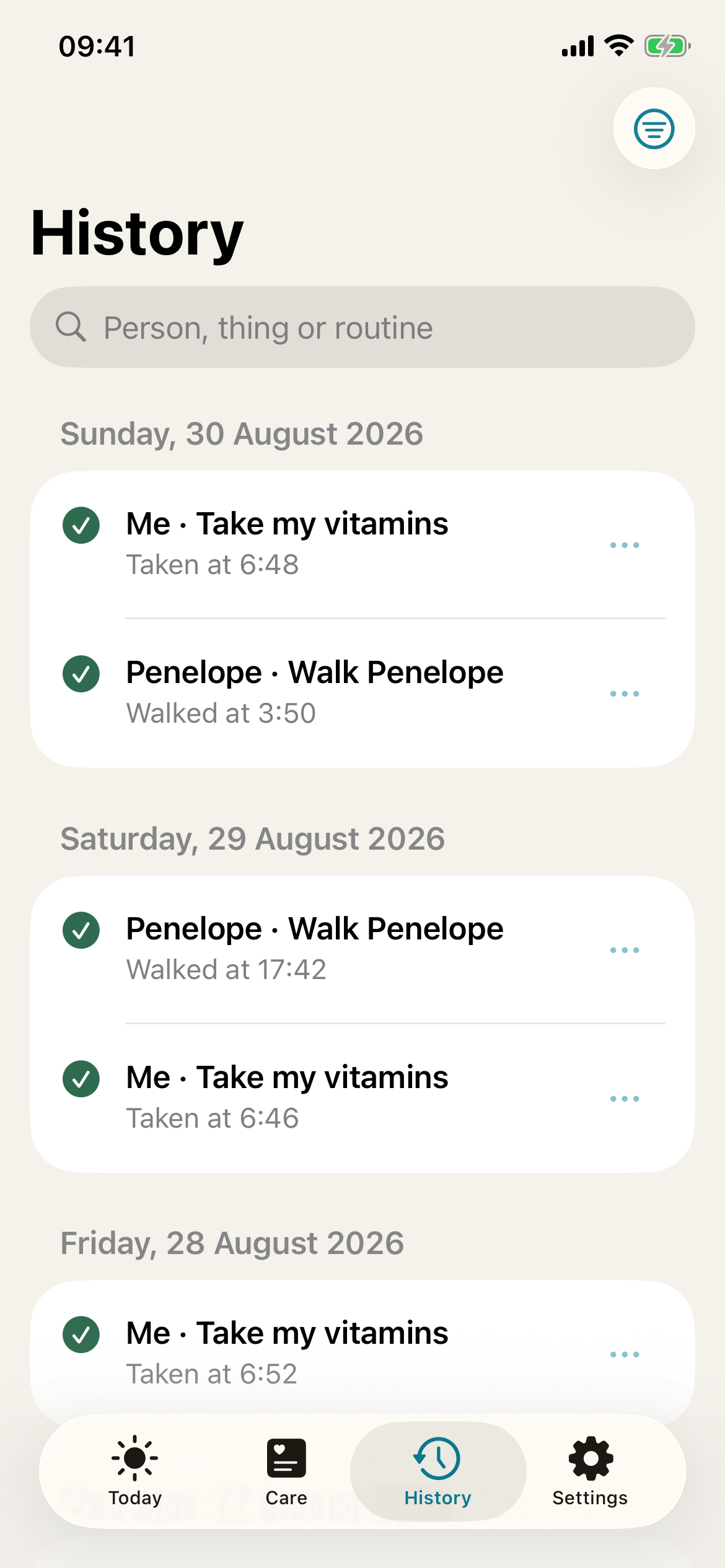
See routine and appointment outcomes, search your history and filter by outcome. Corrections keep the original entry, timestamp and reason.
Keep appointments with the right profile and set up to three reminders. Record Attended, Cancelled or Missed after the appointment ends. Add a separate Apple Calendar copy when useful.
Set advance reminders for yearly dates and one-off deadlines, or a first reminder for regular routines. Open Notifications in Settings to check reminders and send a test alert.
New: Events
A birthday needs a card, a present and a cake. A holiday needs tickets, packing and someone to feed the cat. Put the whole checklist inside one event, then tick things off as you go.
Appointments keep a single booking or visit. Events hold the things you need to organise around an occasion.
Try your first event freeFree: 1 active event and up to 5 items. Premium: unlimited events and up to 50 items each.

Private by design
Your care information is stored on your iPhone and is not uploaded by TendMark. There is no advertising SDK, no analytics SDK and no sale of personal information.
Read the full Privacy Policy →Responsible wording
TendMark helps users organise and record routines. It does not diagnose conditions, prescribe medication, calculate doses or confirm that an unrecorded action was missed.
Read the Terms of Use →Simple yearly pricing
Start with everyday routines and one event. Premium gives you unlimited profiles, routines and events, larger checklists, your full saved history and optional follow-up reminders for unresolved routines.
UK price: £19.99 per year. Apple shows the current local price and renewal terms before you subscribe.
Free
£0No time limit
TendMark Premium
One yearly subscription, billed annually. Manage or cancel through Apple.
Good questions
No. It organises user-entered routines and records actions. Always follow professional advice and the instructions supplied with medication.
iPhone notification permissions, Focus, Scheduled Summary, device state and system limits can affect delivery. The Notifications page in TendMark Settings lets you check the setup and send a test reminder.
No. If you choose Add to Apple Calendar, TendMark opens Apple’s event editor so you can review the details, choose a calendar and decide whether to save a separate copy. That copy does not sync with TendMark, and later changes or deletion in Calendar are not reported back to the app.
On your iPhone. Profiles, optional photos, routines, appointments, notes and confirmation history stay on the device. TendMark does not upload them.
No. TendMark is designed for personal and family use. It is not a professional care record, medication administration record, clinical system or emergency service.
Yes. Profiles can be archived, then permanently deleted with their routines, appointments, linked events, photos and history. Permanent deletion cannot be undone.
An event keeps a date, optional reminder, notes and a checklist together. Use it for a birthday, holiday, wedding or another occasion. Complete it to save the checklist in History. Yearly events keep a separate checklist for each year.
Yes. The yearly subscription is managed through your Apple Account. You can cancel in App Store subscription settings. Existing monthly subscriptions and Lifetime purchases continue to be honoured.
Premium is £19.99 per year in the UK. Apple shows the current local price and renewal terms before purchase. Free includes 1 active event with up to 5 checklist items; Premium includes unlimited events with up to 50 items each.
Existing Lifetime purchases retain Premium access, and existing monthly subscriptions remain recognised while active. Restore Purchases is available in the app. New purchases in this version use the yearly plan.
Yes. Daily, weekly, monthly and every-few-days routines offer a reminder at the due time or 5, 10, 15, 30 or 60 minutes before. Once and Yearly routines let you select reminders 14 days, 7 days and 1 day before, and at the due time. Appointments support up to three reminders, with custom amounts in minutes, hours, days or weeks. iPhone settings and scheduling limits can still affect delivery.
Yes. Daily, weekly, monthly and every-few-days routines can have up to eight exact times on each scheduled day. Each time has its own recorded outcome. Reminders due in the same minute are combined into one notification, and each item is still handled separately. Once and Yearly routines use one exact time; Yearly keeps the same anniversary date even when you record an outcome early or late.
Yes. Profiles can represent a person, pet, plant, home, vehicle, equipment, workplace or a custom subject. TendMark records the routines you create without giving medical or veterinary advice.
No. TendMark does not use an account of its own. An Apple Account is needed only for App Store purchases.
Yes. Profiles, routines, history and scheduled notifications all continue without an internet connection. A connection is needed only for App Store purchases and some Apple services.
Yes. Choose labels such as Done, Taken, Given, Fed or Walked, or enter a custom completion label that matches the routine.
Use Undo immediately: it stays available for four seconds, or twelve seconds with VoiceOver. After that, correct the entry from History. TendMark keeps the original entry and timestamp, labels it Corrected and stores the reason.
Yes. History records the time and outcome of each confirmation, so you can see when a routine was handled rather than only that it was due.
No. TendMark contains no advertising SDK and does not sell care information. Your care records stay on your iPhone.
Not exactly. Apple Reminders is a general task app. TendMark is designed around profiles, exact care routines, outcome labels and a correctable confirmation history.
One less thing to carry
Download TendMark for iPhone and make a little more room in your day. Free to start, with optional Premium upgrades.